First Replay
Record your first session and watch it play back, end to end.
This walks the full loop: start the server, drop in the snippet, generate a session, and replay it.
Add the snippet to a page
Paste this into any HTML page served from the same origin as the server (the dashboard hosts the SDK bundle for you):
<script src="/sdk/tinyreplay.umd.js"></script>
<script>
  TinyReplay.init({
    endpoint: location.origin,
    projectId: 'my-project',
  })
</script>
If your site is on a different origin, point endpoint at the server and set
ALLOWED_ORIGINS on the server:
<script src="http://localhost:3000/sdk/tinyreplay.umd.js"></script>
<script>
  TinyReplay.init({
    endpoint: 'http://localhost:3000',
    projectId: 'my-project',
  })
</script>
Generate a session
Open the page and interact - click around, scroll, type. The recorder buffers events and flushes a batch every five seconds (and once more on page unload).
Watch it back
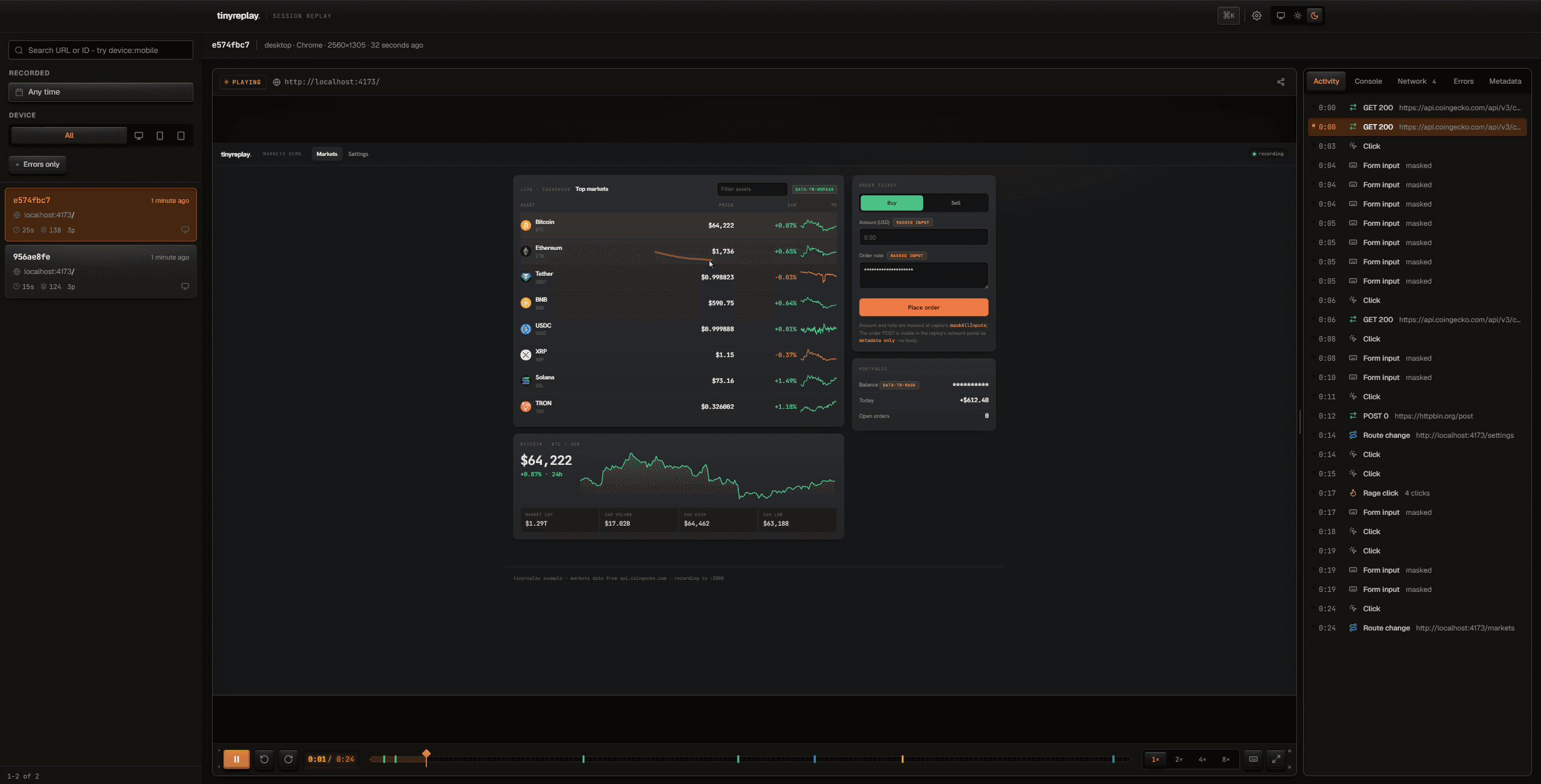
Open http://localhost:3000, click your session in the list, and scrub the
timeline. The replay stage is the hero; everything else recedes.
Nothing showed up?
Sessions appear after the first flush (≈5 s) or on page unload. Set
debug: true in init() to log capture and flush activity to the console.
Next
- Tune the recorder in the SDK API.
- Lock down ingestion and the dashboard in Auth.
- See a runnable example in Example app.